NEW · MAKECODE ARCADE · AGES 9–13

From Game Player to Game Engineer

Your child already loves video games. In 9 weeks they’ll build their own — and gain the confidence, logic and creativity of a real engineer.

No experience needed Builds a real playable game Small groups · max 15

$350 early-bird · 9-week term · full price $375

Not sure? Your first class is on us — try before you enrol.

Wednesdays 5:30–6:30 pm · Caroline Springs · starts 15 July · early-bird ends 6 July

Rated 5.0 on Google 400+ children inspired WWCC-cleared educators

Class details

Early-bird $350 until 6 July — save $25

Caroline Springs Library

Wednesdays · starts 15 July 2026

5:30 – 6:30 pm · 9-week term

BYO laptop · browser-based

$350 early-bird

Full price $375 · save $25 when you enrol by 6 July

Enrol Now

Not ready to commit? Your first class is free — book a trial.

Turn screen time into smart time

Designed for curious 9–13 year-olds who love video games, this program channels that passion into genuine skill. Using MakeCode Arcade — the same block-and-text platform used in classrooms worldwide — your child will design, code, test and ship their own playable game. Along the way they build computational thinking and apply real maths and physics in a context they actually care about.

Serious skills. Seriously fun. Kids think they’re just making games — they’re actually learning to think like engineers.

What your child really gains

Far more than coding — four skills they carry well beyond the classroom.

Problem-solving that sticks

Computational thinking — logic, variables, loops and branching — the mental models behind every program, and behind clearer thinking everywhere.

Maths & physics, made real

Coordinates, geometry, velocity and gravity stop feeling abstract when your child uses them to make their own game actually work.

Confidence & teamwork

Through peer reviews and a shared game database, kids learn to give and take feedback — and find the confidence to share their ideas.

Presents like a creator

Your child finishes able to showcase their work and explain their design decisions — a skill that outlasts any single subject.

The 9-Week Roadmap

Every week builds a new game mechanic — and a real maths, physics or computer-science concept.

Fully scaffolded — beginners and confident coders each work at their own level and pace.

Prefer to read it here? See the week-by-week breakdown
WEEK1

Systems & Setup

Hardware & editor overview

Tour the MakeCode Arcade editor and learn how a game loop runs — sprites, on-start and forever blocks.

Program structure & sequencing
WEEK2

Sprite Dynamics

Maths: coordinates

Create and move a hero sprite across the screen using the x/y coordinate grid and velocity.

Maths: Cartesian coordinates
WEEK3

Interaction Logic

Collision detection

Make things happen on contact — “when sprite overlaps” events and if/then branching.

Events & conditionals
WEEK4

Game States

Win / loss conditions

Add lives, game-over and victory using boolean logic and simple state machines.

Boolean logic & state
WEEK5

Level Architecture

Tilemaps & geometry

Design levels with tilemaps, walls and rooms — grids, spatial reasoning and layout.

Maths: geometry & grids
WEEK6

Data & Variables

Scoring & timers

Track score, lives and a countdown timer using variables and counters that update live.

Variables & integers
WEEK7

Projectile Physics

Velocity & gravity

Add shooting and jumping with velocity vectors, acceleration and gravity that feels real.

Physics: velocity, acceleration, gravity
WEEK8

Debugging & Polish

Software engineering

Find and fix bugs, refactor messy code and add sound and animation — the engineer’s mindset.

Debugging & iteration
WEEK9

ThinkerLab Arcade Expo

Presentation & review

Present finished games to family, run peer reviews and articulate the design decisions behind them.

Communication & reflection

What’s included and what your child gains

What’s included

  • 9 weekly hands-on sessions (small group, max 15)
  • Free, browser-based software — BYO laptop, nothing to install
  • A personal copy of every game your child builds
  • Peer-feedback cards & shared game database access
  • Certificate + the ThinkerLab Arcade Expo showcase
  • Led by qualified science & STEM educators · WWCC-cleared

By week 9, your child can…

  • Read and write real code (blocks + JavaScript)
  • Use variables, loops and conditionals fluently
  • Apply coordinates, geometry, velocity and gravity
  • Debug methodically like a software engineer
  • Present and explain their own creative work

Parents can feel confident

A premium, safe learning environment — the same trusted ThinkerLab team Melbourne families rate 5.0 on Google.

Qualified educators

Led by science & STEM professionals

WWCC-cleared

Fully insured · Child Safe

Small groups

Max 15 — real individual attention

Rated 5.0

From 15 Google reviews

Want the full week-by-week curriculum?

Download the detailed parent guide as a PDF — the complete 9-week roadmap, the maths, physics and computational-thinking concepts behind each week, what your child builds, and everything that’s included.

  • All 9 weeks, concept by concept
  • How real maths & physics power each game
  • Photos, outcomes and what to expect

Get the full 9-week curriculum (PDF)

Just your email and we’ll open the detailed parent guide instantly — every week’s concepts, the maths & physics behind them, and what your child builds. Unsubscribe anytime.
100% free • No credit card • We respect your privacy.

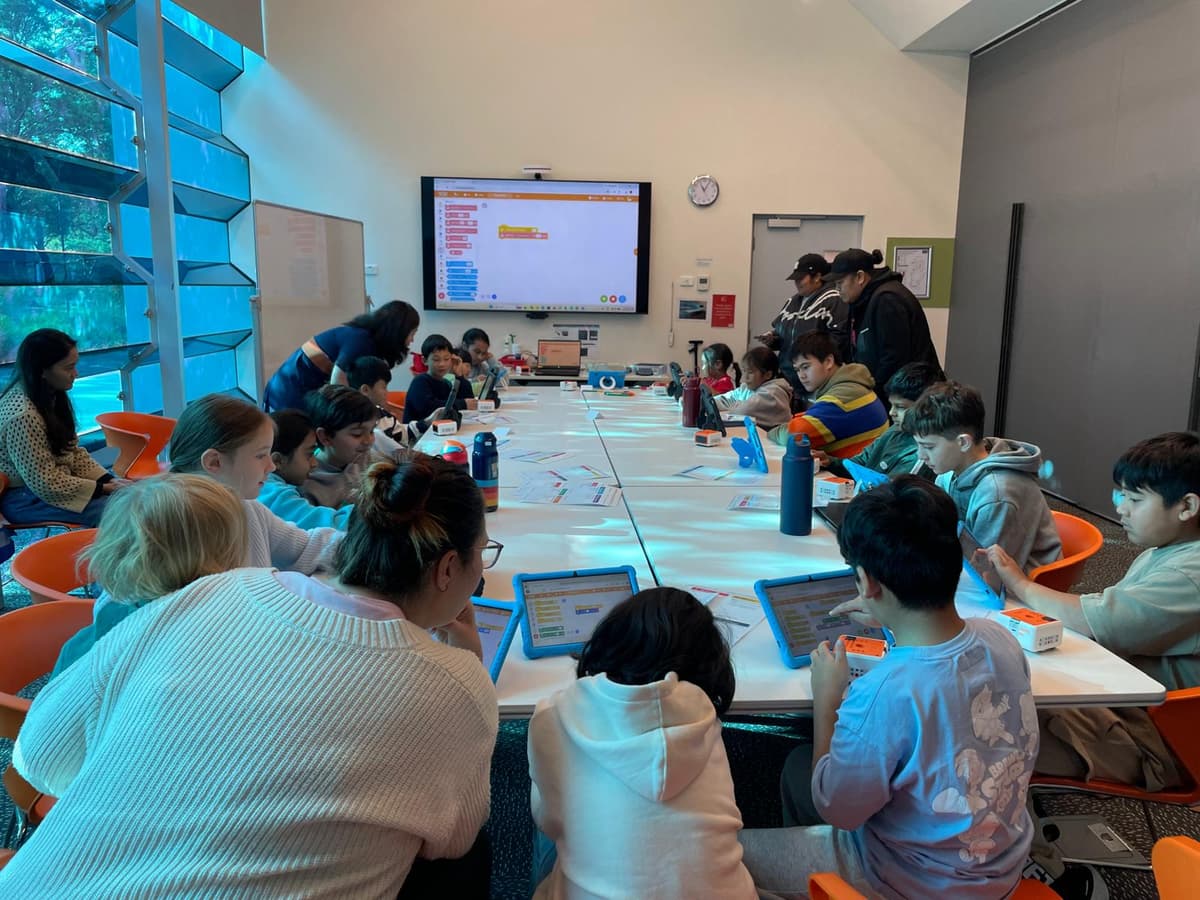
A full room of kids coding their own games in MakeCode Arcade at a ThinkerLab workshop in Caroline Springs
A full house at Caroline Springs Library
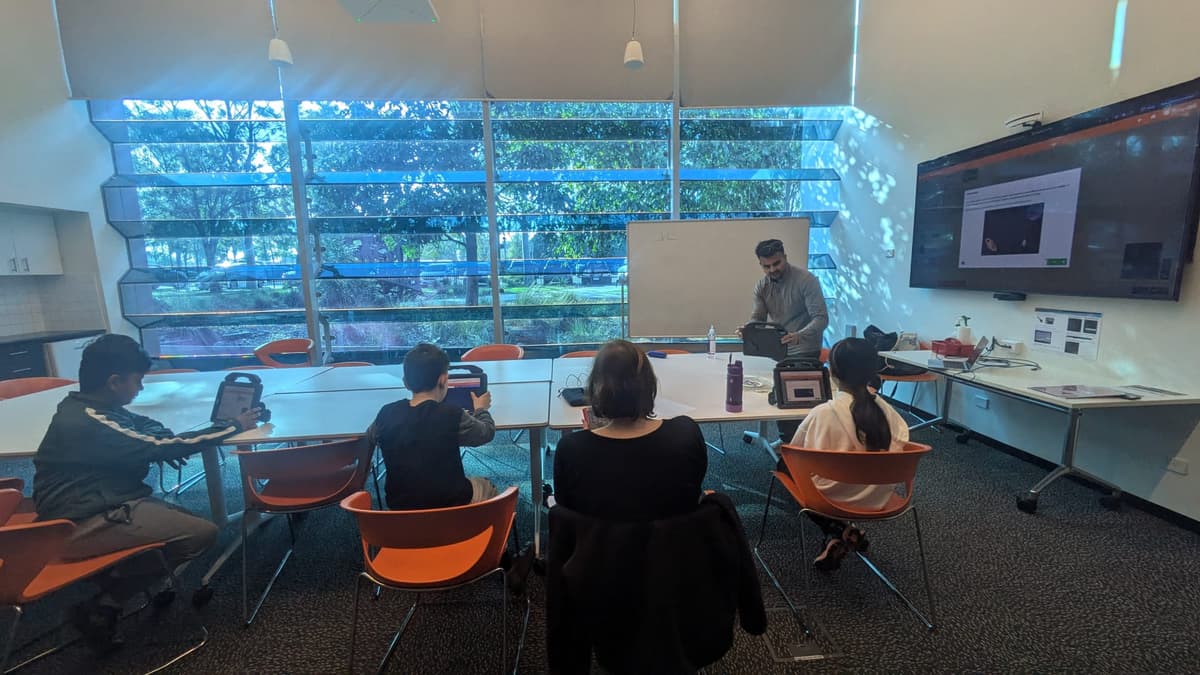
ThinkerLab instructor demonstrating a MakeCode Arcade game on screen to young coders
Real game-building, step by step
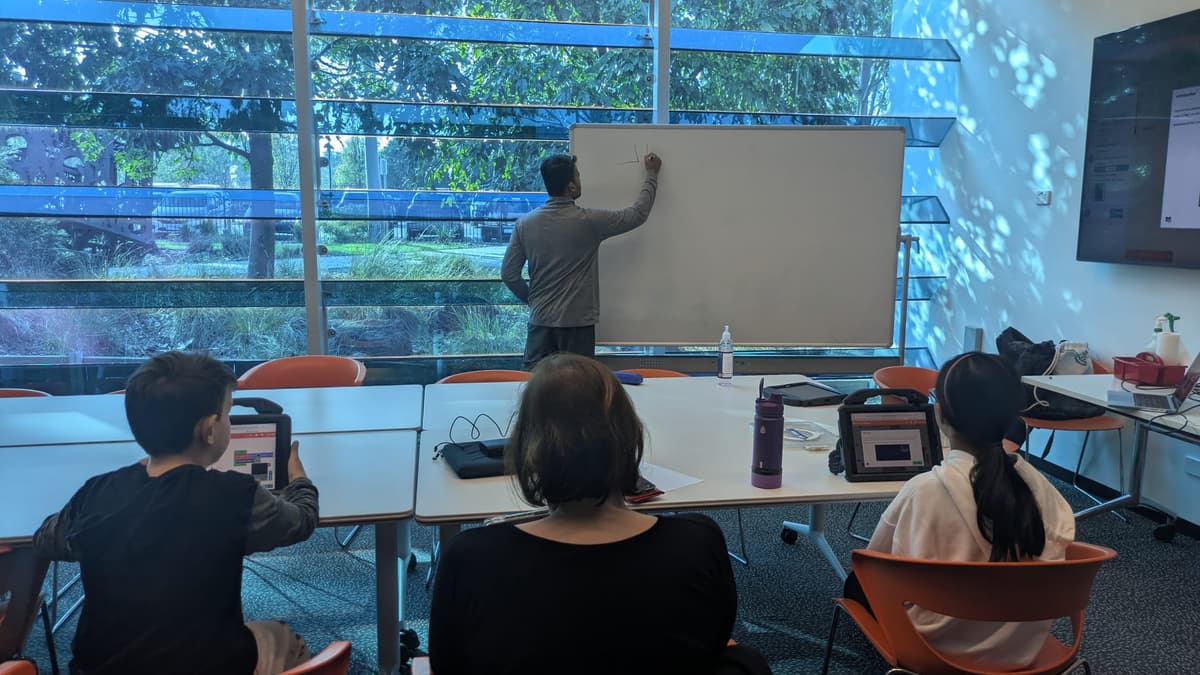
Kids watching a whiteboard explanation during a ThinkerLab game coding class
Concepts made clear and fun

Loved by parents — and their kids

Rated 5.0 from 15 Google reviews · families across Melbourne’s west

A must for any gamer in the house! My son loves playing Nintendo and Roblox, so it was fantastic to see him creating his own game instead of just playing someone else’s. He had an amazing time and left feeling proud of what he’d built.
Charmaine · Aintree
I was initially skeptical because my 13-year-old daughter had no coding experience — but it was amazing to see how much she created from scratch in just one hour. The drag-and-drop coding made it easy, and she was so excited she came home and kept working on her game.
Anthony · Caroline Springs
My 9-year-old son absolutely loved the workshop. He was so proud of the game he created and couldn’t wait to share it with his friends. It was wonderful to see him so engaged and excited about coding.
Reese · Taylors Hill
My son loves playing games and was thrilled to be part of the game workshop. He learned so much in just one day — we’re now thinking of enrolling him in the weekly term class!
Ange · Caroline Springs

Read all our reviews on Google

How it works

From curious to confident in three simple steps.

1

Book a free trial

Come along for a no-obligation first class — your first class is on us. See your child light up before you commit.

2

Enrol for the term

Lock in a small-group spot (max 15) for the 9-week term. Just $350 early-bird until 6 July.

3

Build & showcase

Your child builds a real game week by week and presents it at the ThinkerLab Arcade Expo.

Ready to start building?

Only 15 places per group — reserve your child’s spot and lock in the $350 early-bird rate before 6 July.

Still deciding? Your first class is on us — book a free trial.

[email protected] · 0426 693 283 · WWCC-cleared, insured & Child Safe

Game Engineering Program FAQ

The questions parents ask most before enrolling — MakeCode Arcade, experience needed, devices, dates and price.

What is MakeCode Arcade and what will my child actually build?
MakeCode Arcade is a free, browser-based coding platform made by Microsoft and used in classrooms worldwide. Over the 9 weeks your child designs, codes and ships their own playable retro-style video game — a real project they keep and can share, built one mechanic at a time.
Does my child need coding experience?
No. The program starts from the very basics and is fully scaffolded — beginners build up step by step, while confident coders take on extra challenges. With a maximum of 15 students per class, every child works at their own level and pace.
How is this different from your robotics term classes?
Same small-group, hands-on ThinkerLab teaching — but the focus here is software and game development in MakeCode Arcade rather than physical robots. It’s ideal for kids who love playing video games and want to learn how to make their own.
What do we need to bring? Do you supply devices?
Please BYO laptop (any Windows, Mac or Chromebook is fine). MakeCode Arcade runs in a web browser with nothing to install, so there’s no software to buy or set up. If bringing a laptop is a problem, contact us and we’ll help.
When and where does it run, and how much is it?
Wednesdays 5:30–6:30 pm at Caroline Springs Library, starting 15 July 2026, for a 9-week term. It’s $375 for the full term — or $350 early-bird if you enrol by 6 July (save $25).
How do real maths and physics fit into a game class?
They’re everywhere in a game — and that’s the point. Kids use coordinates and geometry to place and move sprites, and velocity, acceleration and gravity to make jumping and shooting feel right. They apply school concepts in a context they genuinely care about.
Can we try a class first?
Yes — your first class is on us. Book a free, no-obligation trial so your child can experience a session before you commit to the term. Most families enrol straight after. Book online or email [email protected] / call 0426 693 283.
Isn’t this just more screen time?
It’s the opposite of passive screen time. Instead of consuming games, your child creates them — applying real maths, physics and logic to build something of their own. It’s purposeful, productive time with a finished project to show for it.
Is it safe? What are your educators’ credentials?
Every session is led by qualified science and STEM educators. All staff are WWCC-cleared, we’re fully insured and follow a Child Safe policy, and classes are capped at 15 students for close supervision and individual support.
What if we miss a week, or it’s not the right fit?
Life happens — just let us know and we’ll help your child catch up so they don’t fall behind the group. We also keep refunds and transfers simple: contact us early and we’ll arrange a transfer to a later term or the right solution for your family.
Book a Free Trial