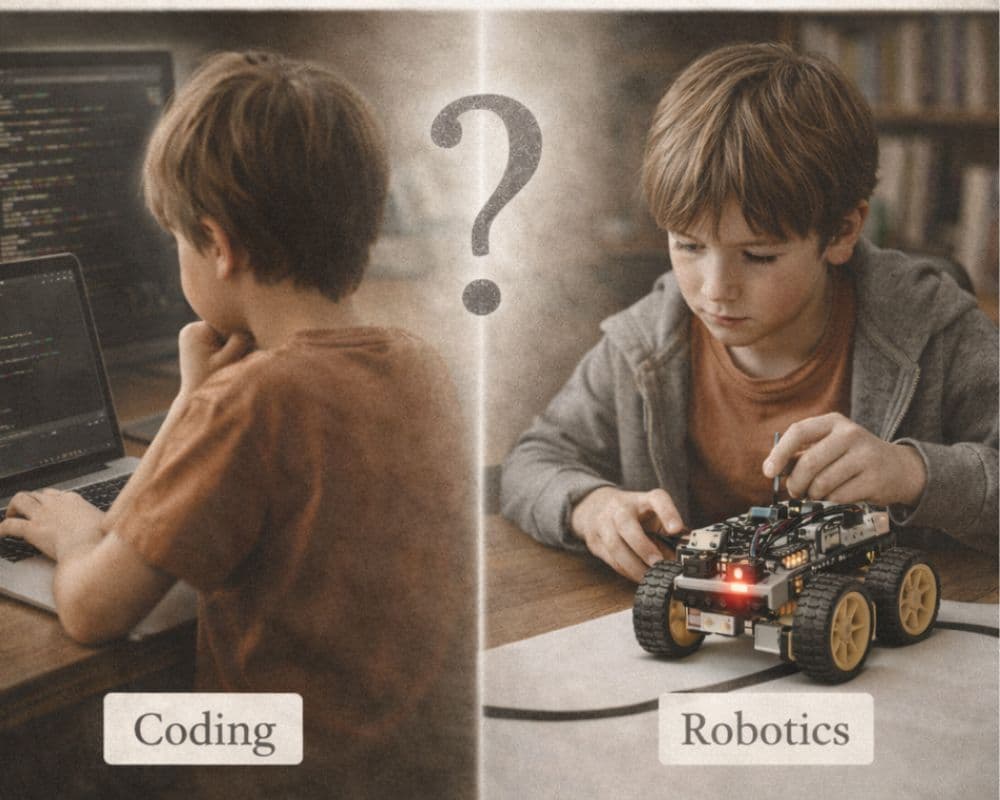
If you’re a Melbourne parent comparing coding vs robotics for kids, you’re not alone. Last term, a parent in Caroline Springs pulled me aside after class:
“My son loves Minecraft. He says he wants to learn coding. But my friend’s child is doing robotics. And now I’m seeing AI classes everywhere. I don’t want him left behind… but I also don’t want to push the wrong thing.”
It’s a fair question—and it’s one a lot of families are asking across Melbourne, from Doncaster to Tarneit.
If you’re choosing between kids robotics classes in Melbourne, coding classes for kids in Melbourne, or the newest wave of “AI classes”, here’s the good news: you don’t need the most advanced option—you need the right next step.
If you want the full picture of what we offer, start here: Programs and the free Parent Guide.
Executive summary (30 seconds)
Coding teaches logic on a screen. Robotics teaches logic through the real world. For many kids, robotics is the easiest starting point because feedback is visible and motivating. AI concepts make the most sense after strong foundations are built.
This post explains what each option actually teaches, a simple decision framework for ages 7–14, and how Melbourne families can choose a calm, structured STEM path without hype.
What this post covers
- What coding, robotics, and “AI classes” actually teach
- A simple developmental progression (ages 7–14)
- A decision framework you can use today
- Three prompts to try at home (to build a “debugging mindset”)
- How to see it in action (free trial)
First: what are we actually comparing?
Parents often use these terms interchangeably—but they’re not the same.
1) Coding
Coding is learning how to give instructions to a computer using logic and sequence.
Kids practise:
- Sequencing (step-by-step instructions)
- Conditional logic (“if this, then that”)
- Loops and repetition
- Debugging (finding and fixing what didn’t work)
Coding can be block-based (like Scratch) or text-based (like Python). It builds structured thinking—but for many kids it starts out abstract: you write code, the output appears on a screen.
2) Robotics
Robotics combines coding with physical engineering.
Kids:
- Build something tangible
- Program it
- Test it in the real world
- Fix it when it doesn’t work
Instead of only seeing output on a screen, they see movement, timing, direction, and cause-and-effect in front of them.
That’s why robotics is often used to bring the Australian Digital Technologies curriculum to life: it makes logic visible.
3) AI (artificial intelligence)
“AI classes for kids” are newer—and they vary a lot. For children, they often include:
- Understanding how machines “learn” (at a simple level)
- Exploring patterns
- Training basic models
- Learning about data bias and ethics
AI can be powerful—but it sits later in the learning pathway. Without foundations in sequencing, debugging, and logical reasoning, “AI” can become surface-level.
Developmental progression: what comes first?
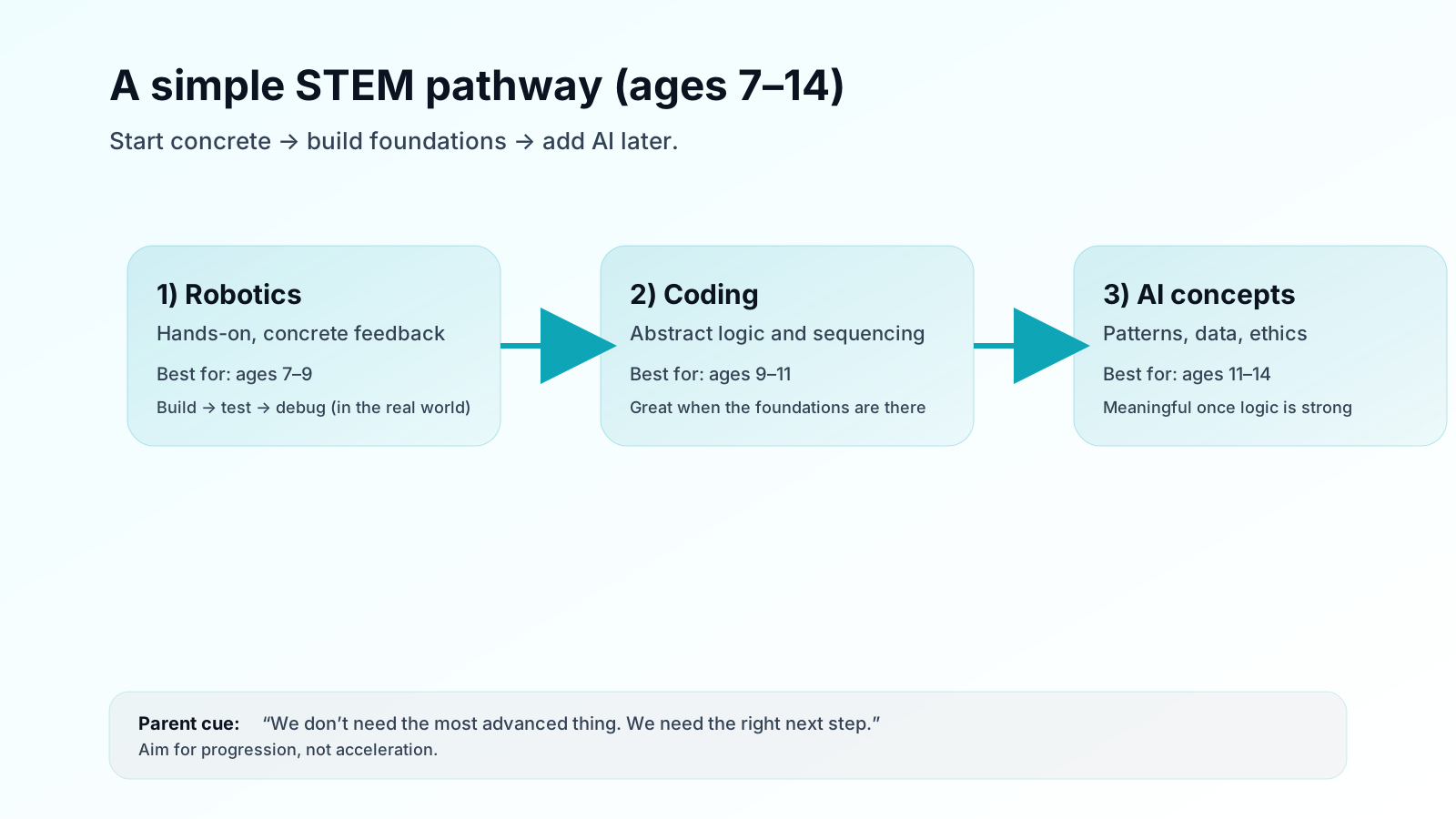
Between ages 7–14, kids tend to move through:
Concrete understanding → Abstract reasoning → Systems thinking
Here’s how that maps to STEM learning.
Ages 7–9: start concrete
Children benefit most from hands-on learning. They understand movement, cause-and-effect, and physical problem-solving.
Robotics is often a great entry point here:
- The robot turns too far? They see it.
- It doesn’t move? They troubleshoot it.
The feedback loop is immediate and visible.
Ages 9–11: blend robotics + coding
Now abstraction gets easier.
Coding becomes powerful because kids can:
- Visualise logic in their head
- Follow multi-step reasoning
- Enjoy more complexity
Robotics + coding together works exceptionally well at this stage.
Ages 11–14: deepen coding and introduce AI concepts
Abstract reasoning strengthens. Now students can explore:
- Text-based coding (where ready)
- More complex problem solving
- Introductory AI concepts (patterns, data, ethics)
The key is progression—not acceleration.
Coding vs robotics: what’s the real difference?
If we simplify it:
- Coding is abstract (screen-based output)
- Robotics is concrete (physical output)
Coding trains the mind. Robotics trains the mind and applies it in the real world.
That’s why many educators see robotics as an ideal starting point for structured STEM learning—especially for younger learners.
A simple decision framework for parents
Instead of asking “which is better?”, ask:
1) Does my child prefer building or screen creation?
- Loves LEGO, construction, tinkering → robotics first
- Loves puzzles, logic games, digital creation → coding may be a great start
2) How old are they?
- 7–9 → robotics-led programs
- 9–11 → blended robotics + coding
- 11–14 → coding depth + AI concepts (gradually)
3) Do they persist when things don’t work?
If your child gets frustrated quickly, robotics can help because the feedback is visible and motivating. If they enjoy mental puzzles and sticking with code, coding-first may suit.
4) What is the long-term goal?
- Strong thinking skills → either works (progression matters)
- Competitive coding → deeper coding required
- Future AI understanding → foundation first, AI later
There’s no advantage in skipping steps.
Three prompts to try at home (debugging mindset)
Next time your child gets stuck, try:
- “What did you expect to happen?”
- “What happened instead?”
- “What’s one small change we can test?”
This keeps the moment calm and turns frustration into a next step.
So… what should your child learn first?
- If your child is 7–9: start with robotics
- If your child is 9–11: choose a blended program
- If your child is 11–14: explore deeper coding and gradually introduce AI concepts
Most importantly: choose a program that builds thinking—not just tool exposure.
Sources (for parents who like evidence)
- Wang, K., Sang, G‑Y., Huang, L‑Z., Li, S‑H., & Guo, J‑W. (2023). The Effectiveness of Educational Robots in Improving Learning Outcomes: A Meta‑Analysis. Sustainability, 15, 4637. https://doi.org/10.3390/su15054637
- Ching, Y.‑H., & Hsu, Y.‑C. (2023). Educational Robotics for Developing Computational Thinking in Young Learners: A Systematic Review. TechTrends (online ahead of print). https://doi.org/10.1007/s11528-023-00841-1
- Brennan, K., & Resnick, M. (2012). New frameworks for studying and assessing the development of computational thinking. AERA. (Defines CT concepts like sequences and practices like testing & debugging.)
Related posts
Robotics
Screen Time vs Smart Time: How Coding & Robotics Are Different from Gaming or YouTube
Not all screen time is equal. Discover the difference between passive consumption and structured STEM learning — and how coding and robotics build thinking skills in children aged 7–14.
Robotics
Building Resilience in Kids Through STEM & Robotics
Beyond code—we teach grit. Discover how ThinkerLab's structured 60-minute robotics sessions help children in Caroline Springs develop resilience, focus and problem-solving skills.
Robotics
How Robotics Improves Maths & Confidence | Melbourne Kids
Discover the real benefits of robotics classes for kids — from stronger maths skills to structured problem-solving and growing confidence in children aged 7–14 across Melbourne.