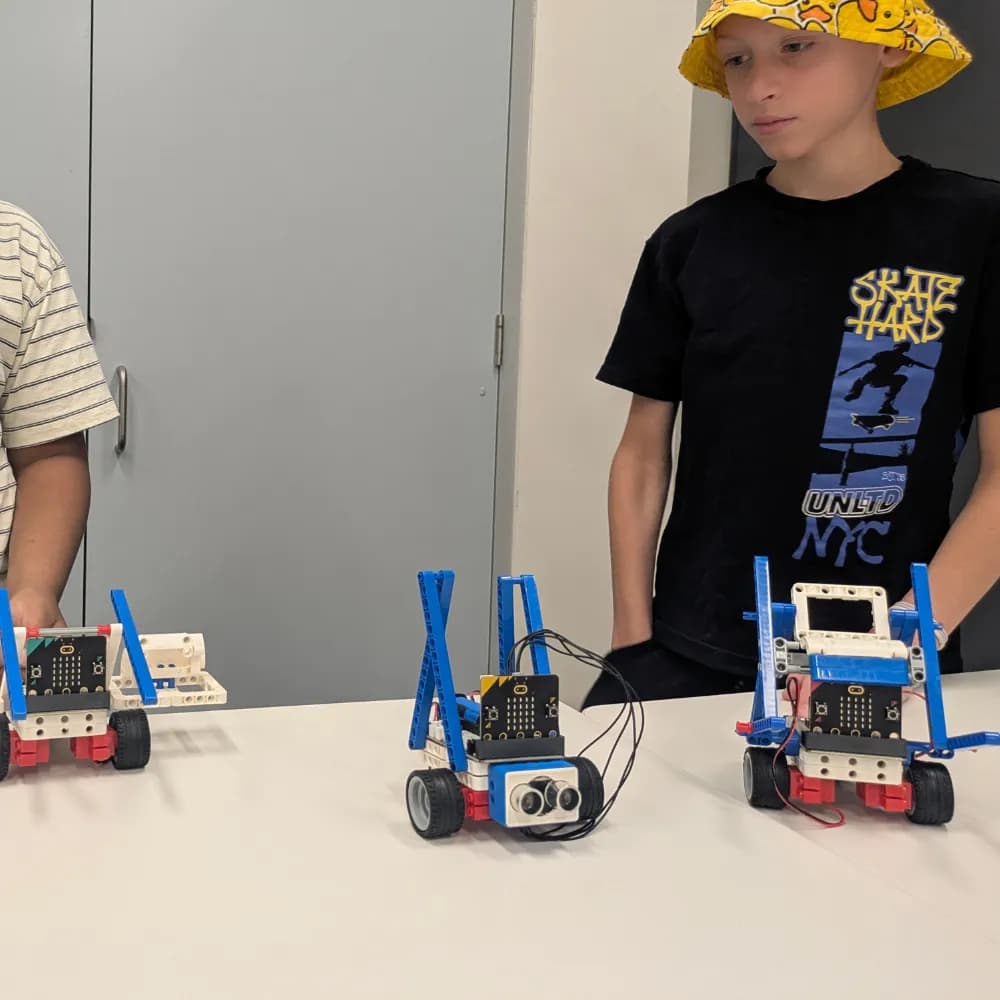
A mum emailed me a question last term that I wish more parents would ask out loud:
"There are free coding apps everywhere. Be honest — is a paid class actually worth it?"
I love that question, because the honest answer isn't "always yes."
So let me give you the real one — what you're paying for, when it's genuinely worth it, and when you'd be better off keeping your money.
If you want the full picture first, here are our Programs and the free Parent Guide.
The short version (30 seconds)
A robotics or coding class isn't really paying for the robot. The kit is the cheap part.
You're paying for three things a free app can't give you: a small group with a real educator, structure that turns frustration into progress, and someone who knows not to jump in and fix it.
If your child is curious and you want them to build genuine focus and problem-solving — not just play — it's worth it. If you only want casual exposure and you've got time to tinker alongside them at home, a $30 kit might be plenty. I'd rather tell you that than sell you a term.
What this post covers
- What you're actually paying for (it isn't the robot)
- What free apps and YouTube do well — and where they stop
- The honest test of whether it's worth it for your child
- When a class is not worth it
- Three questions to ask any provider
What you're actually paying for
Anyone can buy a robotics kit. The kit isn't the value.
The value is what happens in the twenty minutes when the robot won't do what your child expected.
In that moment, a free app moves on. A YouTube video keeps playing. But a good educator does something harder — they slow it down:
- "What did you expect to happen?"
- "What happened instead?"
- "What's one small thing we could change?"
That's the whole product. Not the robot — the response to the robot not working. It's where focus, persistence and calm problem-solving are actually built.
What free apps and YouTube do well — and where they stop
I genuinely recommend free tools. They're brilliant for sparking interest, and a curious kid can travel a long way on them.
But they share three blind spots:
- No feedback on thinking. An app marks the answer. It can't see how your child got stuck, or nudge them at the right moment.
- Easy to quit. When it gets hard, there's always another tab. Productive struggle needs a little friendly accountability.
- Passive by default. Most "learning" content is watched, not done. We dig into that gap in screen time vs smart time.
A class isn't better because it costs money. It's better when it adds the one thing an app can't: a person.
Micro-story: the app at home vs the moment in class
One dad told me his son had "done heaps of coding" on a free app — happily, for months.
But the first time a build didn't work in a session, the boy froze and reached to wipe it all and start over.
The educator stopped him. Asked what he expected. What happened instead. One change to test.
He found the bug himself.
His dad's comment afterwards stuck with me: "He's done that a hundred times on the app. That's the first time anyone showed him how to be stuck."
The honest test: is it worth it for YOUR child?
Forget the marketing. Ask yourself:
- Does my child enjoy building and figuring things out — but give up quickly when it's hard?
- Do I want them to gain focus and persistence, not just screen skills?
- Would they do better with a small group and a bit of friendly structure?
If that's a yes, a good class earns its keep — and the change usually shows up at home, not on a screen.
When a class is not worth it
Because you asked for honest:
- If you want pure casual exposure and you've got time to tinker alongside them, a kit and your kitchen table can do a lot. Our free at-home guides are built for exactly that.
- If a provider runs big groups where kids mostly follow along, you're paying class prices for app-level passivity. Don't.
- If your child simply isn't interested yet, forcing it rarely helps. A single free trial will tell you fast.
Three questions to ask any robotics or coding provider
Before you pay anyone — us included — ask these. The answers tell you everything:
- "How many kids per educator?" — Smaller is better. We cap groups at 15 per educator for a reason.
- "What happens when a child gets stuck?" — Listen for coaching the struggle, not rushing to the answer.
- "What do you want my child to leave with?" — If the answer is only "they'll build a robot," keep looking. The robot is the easy part.
How to judge it for yourself (free trial)
You'll learn more from one hands-on hour than from any review — including this one.
Every ThinkerLab term starts with a free trial; the term itself is $375 and includes a take-home kit, a certificate and a final showcase, with a satisfaction guarantee in the first two classes. So you can judge the value before you really commit.
- Book a free trial (no commitment)
- Compare options on the Programs page
- Questions first? See the FAQ
Sources (for parents who like evidence)
- Hattie, J. (2009). Visible Learning: A Synthesis of Over 800 Meta-Analyses Relating to Achievement. Routledge. (Finds timely, specific feedback among the highest-impact factors in learning — the thing a class adds over a solo app.)
- Dweck, C. S. (2006). Mindset: The New Psychology of Success. Random House. (Mastery-oriented environments that reward effort and strategy build more resilient learners.)
- Wang, K., Sang, G-Y., Huang, L-Z., Li, S-H., & Guo, J-W. (2023). The Effectiveness of Educational Robots in Improving Learning Outcomes: A Meta-Analysis. Sustainability, 15, 4637. https://doi.org/10.3390/su15054637
Related posts
For Parents
My Child Says “I'm Not a Tech Kid” — Now What?
When a child decides they're “not a tech kid,” it's rarely about technology. A Melbourne founder on what that label really means — and why it doesn't have to stick.
For Parents
In the Age of AI, Should Kids Still Learn to Code?
If AI can write code, why should kids learn it? A Melbourne founder's honest take — and why the thinking behind coding matters more now, not less.
For Parents
The Robot Isn't the Lesson
After hundreds of sessions, the moments that stay with me have nothing to do with robots. A ThinkerLab founder on what children are really building.